
Team resources are scattered
Business apps, bookmarks, and documents live across browser tabs, Slack, email, and personal saves.
Give your team quick access to the apps, websites, and information they use every day.
Trusted by teams at
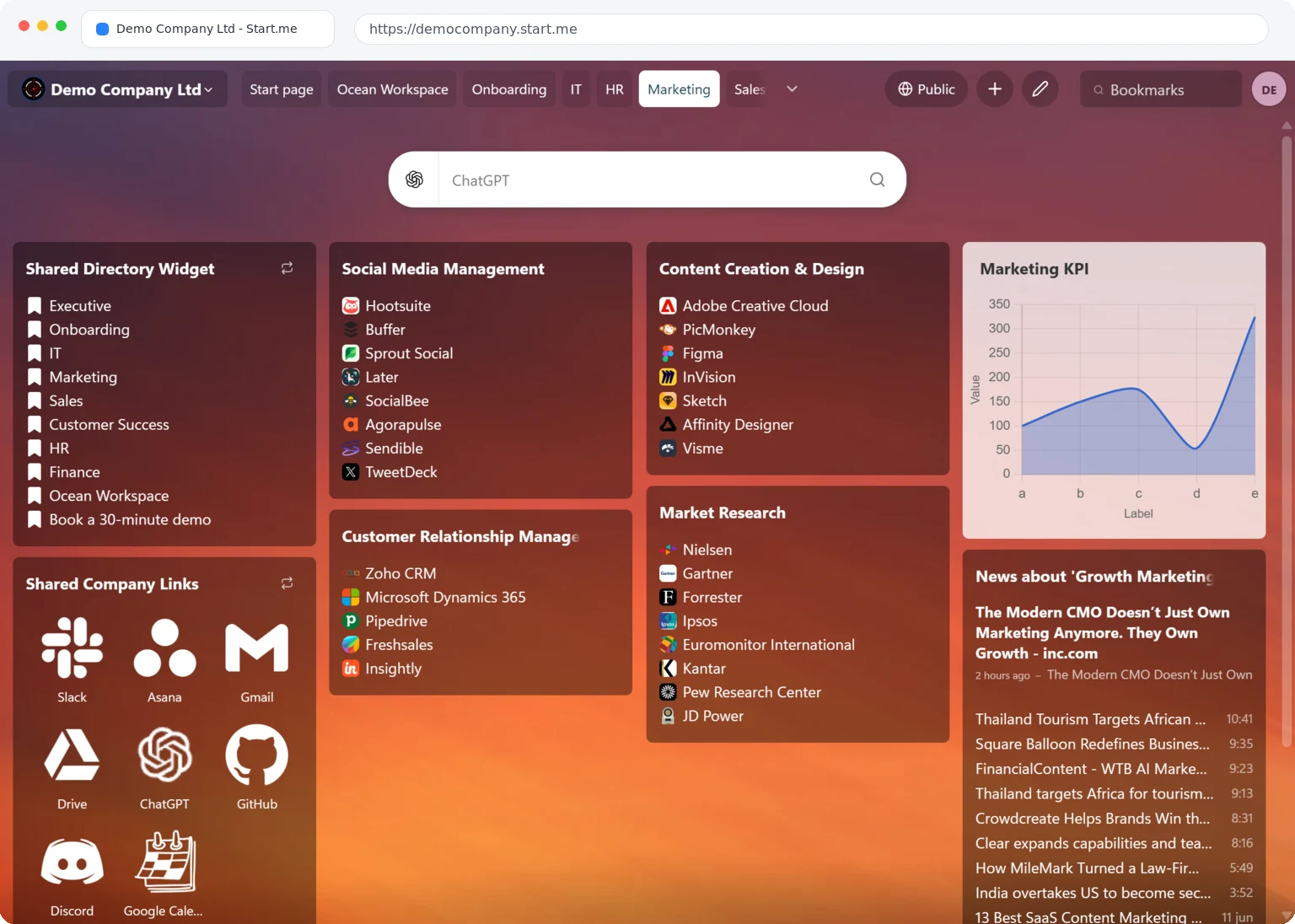
Start.me helps you turn scattered business apps and links into a shared start page your staff can browse more efficiently.
Business apps, bookmarks, and documents live across browser tabs, Slack, email, and personal saves.
Collect the tools and links your team uses on one start page, so everyone starts from the same place.
Your staff gets a clear overview of what the business uses and spends less time hunting for links.
From creating your workspace to giving every co-worker one shared start page.
Start a free 30-day trial and set up your team workspace in minutes.
Add co-workers by email, invite link, or SSO (SAML2).
Add business apps, bookmarks, and widgets to your team pages. Work together with your editors.
Share on yourteam.start.me and set it as the homepage or new tab page for your staff.
Create pages your whole team can access. Update once, everyone sees the changes instantly.
Control who can view, edit, or manage pages. Keep sensitive resources secure.
Get your own team URL like yourcompany.start.me for easy access and branding.
Connect with Okta, Azure AD, or any SAML2 provider. No extra passwords for your team.
Add RSS feeds to keep your team updated on industry news and company announcements.
Add your logo and colors. Make Start.me feel like your own internal tool.
Give new hires a single page with everything they need to get started, with no more "where do I find X" questions on day one.
Create dedicated pages for Marketing, Sales, HR, and IT. Each team gets their own organized space with the exact tools they need.
Spin up project pages with all relevant docs, tools, and dashboards. Everyone stays aligned without digging through folders.
Keep distributed teams connected with a shared dashboard they can access from anywhere, on any device.
"Every link I need, when I need it. Shareable home screens to help my team stay organized as our tools get updated."

"I run three websites and two businesses. Every tool and website I need on each business is neatly compartmentalized. This organizational tool is a must."

Start with a free 30-day trial. No credit card required.
For teams who want to work more efficiently with clear team start pages.
Free 30 days · No credit card needed
For larger organizations that need Start.me across multiple teams.
Start.me gives your team one shared start page for business apps, bookmarks, documents, and widgets. Everyone starts from the same organized overview instead of hunting links across browser tabs, Slack, and email.
Team is perfect for a single department or small company that needs one shared workspace, and includes SSO/SAML2 integration. Enterprise is for larger organizations that need multiple team workspaces (e.g., separate spaces for Marketing, Sales, HR) plus centralized administration and custom pricing. Compare plans on our teams pricing page.
Yes. We offer discounted plans for schools and non-profit organizations. Contact sales@start.me with details about your organization.
We accept all major credit cards (Visa, MasterCard, American Express), PayPal, and bank transfers. Enterprise customers can also request custom invoicing.
We offer a full refund within the first 30 days, no questions asked. If Start.me isn't the right fit for your team, just let us know.
We'd love to help! Visit our Help Center for detailed guides, or reach out through our contact page. For Enterprise inquiries, email sales@start.me.
Join thousands of teams who've eliminated resource chaos with Start.me.